
Building Your Own
Introduction
Workflows are the automation engine of AskElephant. You set up processes that run on their own, turning conversation data into actionable outputs—meeting summaries, CRM updates, handoff documentation, and more—without manual effort.
A workflow is a series of connected steps that take information from one place, analyze it, and deliver results where you need them. Building your own takes some thought. Use this guide to shape custom automations that fit your use cases.
Key Terms
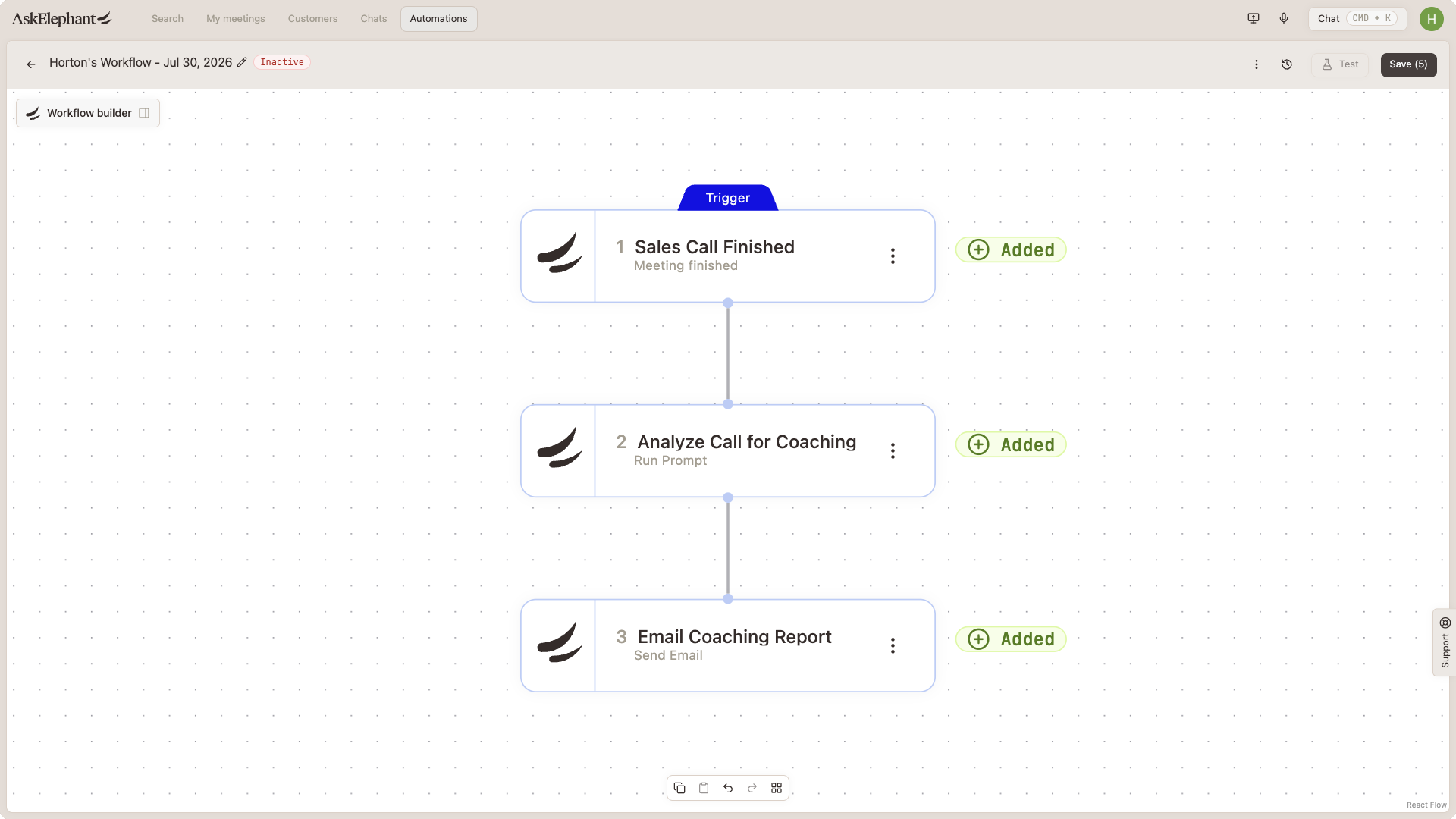
Trigger: The event that starts a workflow—a new meeting, a deal update in your CRM, or a specific keyword in a conversation
Node: A building block within a workflow; each node performs one specific task, like running an AI analysis, searching for information, or sending an email
Action node: A node that processes information or performs an action, as opposed to trigger nodes, which start the workflow
Prompt: Natural-language instructions that tell AI how to analyze information and what output you want
Output: The final result your workflow produces—an email summary, a CRM update, or an alert to your team
Start With Your Outcome
Before building anything, get clear on what the workflow should accomplish. Specifics matter more than general ideas.
Instead of "I want meeting summaries," think: "I want a summary of sales calls sent to my manager every Friday that highlights customer pain points, competitor mentions, and next steps agreed upon."
Define:
What information do you need?
Where should it go? (email, Slack, your CRM, AskElephant itself)
Who needs it?
How often? (after every meeting, weekly, on demand)
This becomes the anchor for every decision that follows.
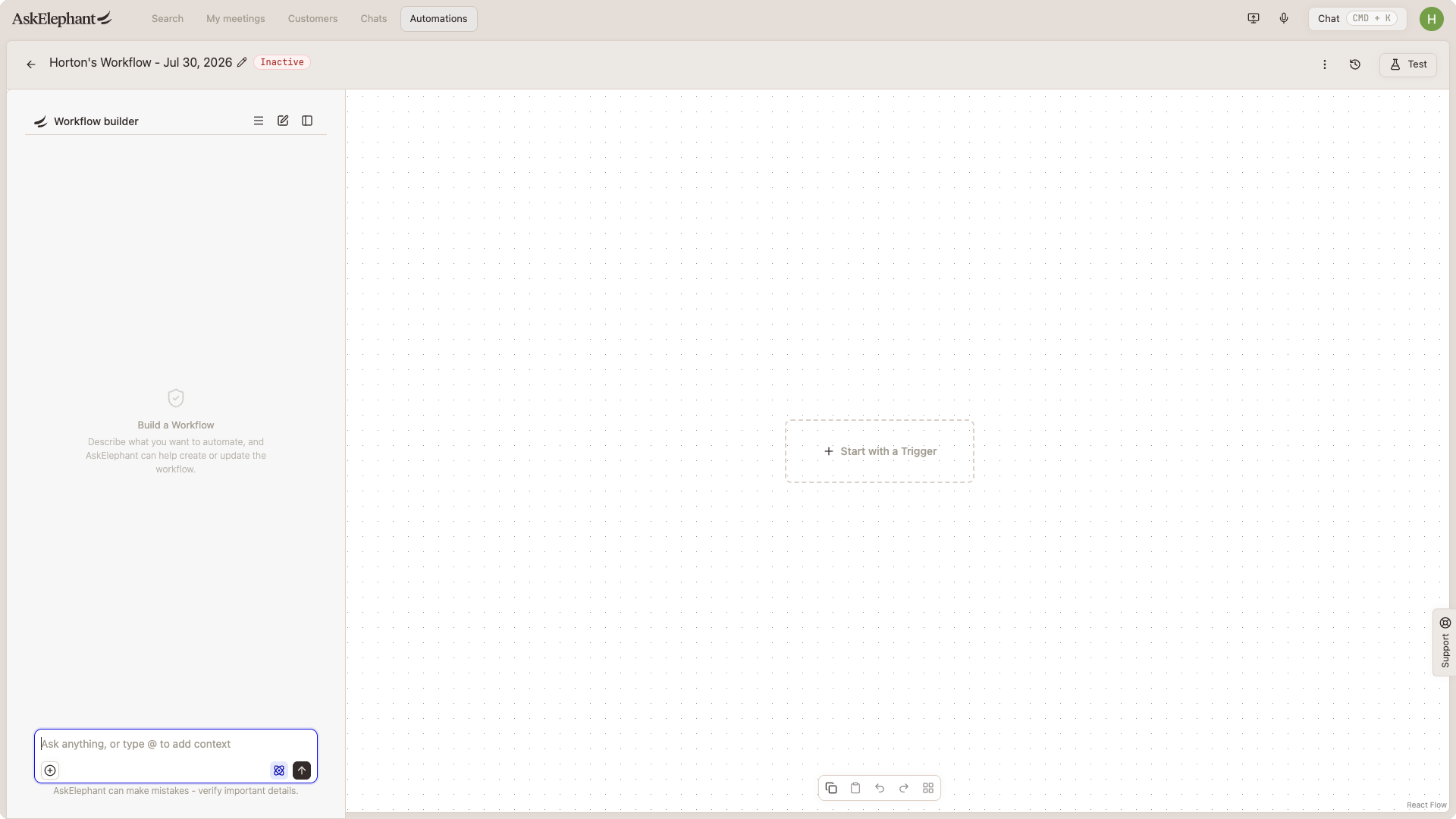
Choose Your Trigger
Your trigger is where the workflow gets its raw material. It determines what information flows into the rest of the process.
Common triggers:
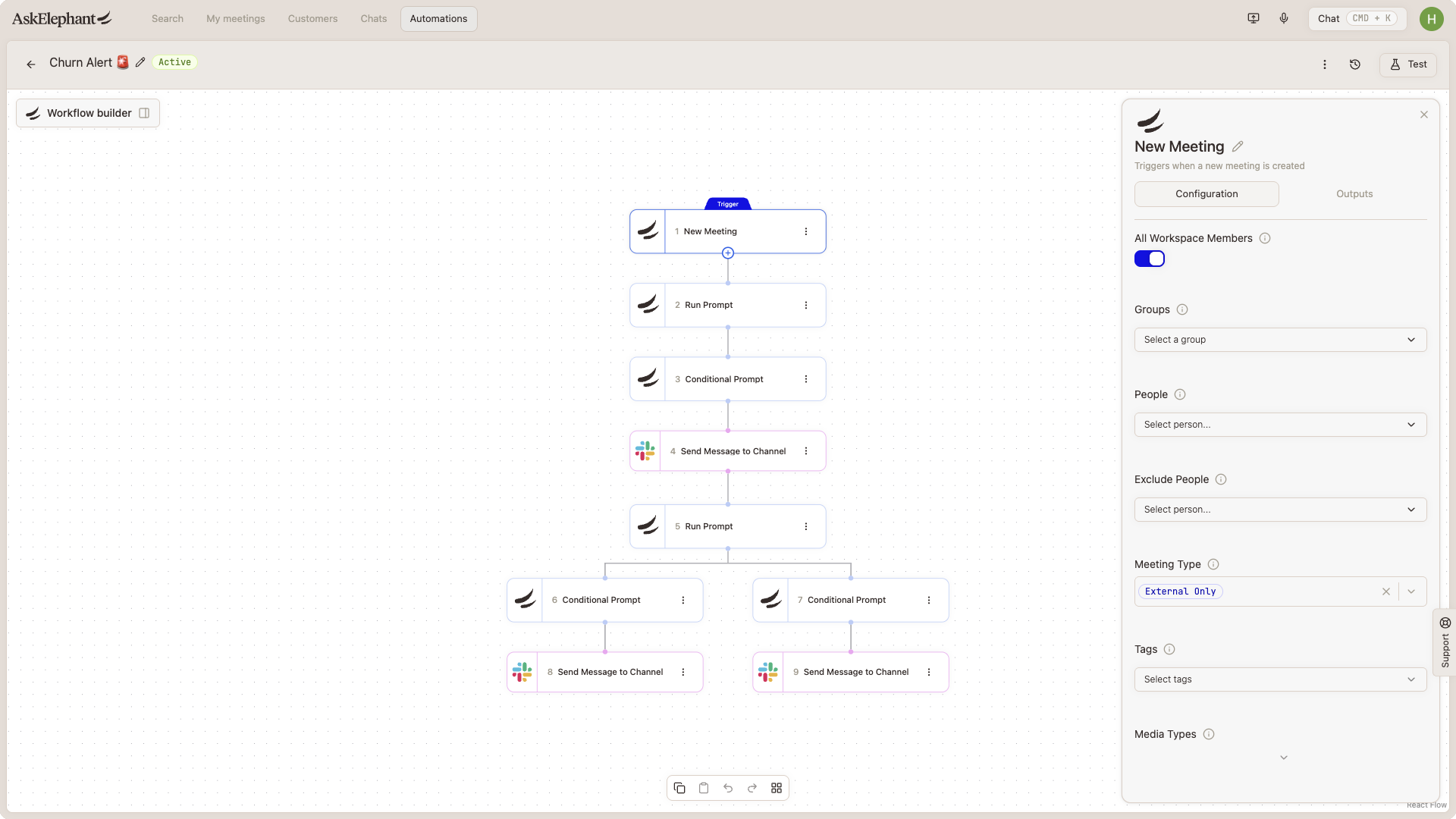
New meeting: Activates whenever a meeting ends; you can filter by group, attendees, meeting type, or tags
Signal match: Triggers when a meeting contains specific keywords like
budget,competitor, orchurn riskCRM update: Starts when something changes in HubSpot, Salesforce, or another integration
Calendar event: Begins before or after a scheduled meeting
Manual trigger: You start it whenever you need
Pick the trigger that matches when the workflow should run. For real-time summaries, use New Meeting. For a quarterly business review, a manual trigger lets you control exactly when it runs.
Gather Additional Context
Your trigger gives you a starting point, but it's rarely enough on its own. Decide what else strengthens your analysis:
Past meetings with this customer or contact
Current deal information from your CRM
LinkedIn or company data
Slack conversations or documents
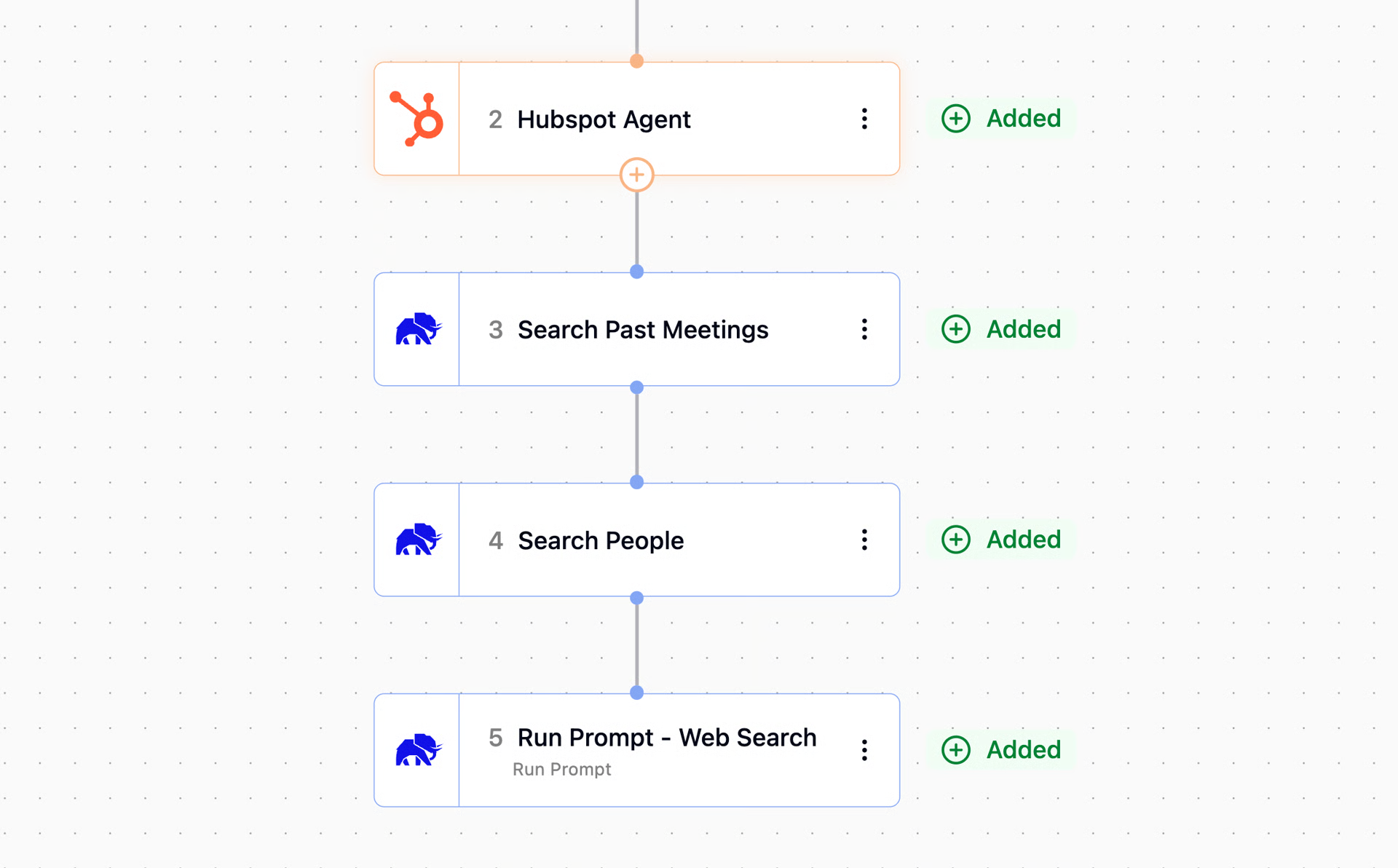
Each piece of context becomes its own node. These nodes might search meeting history, pull data from HubSpot, or perform web searches, and they all feed into the final analysis.
Example: if your trigger is a new customer meeting, add nodes to search past meetings with that contact and pull the opportunity details from HubSpot. Your workflow now has the full picture.
Evaluate and Analyze the Information
Once you've gathered information, tell AI how to process it. This is where prompt nodes come in.
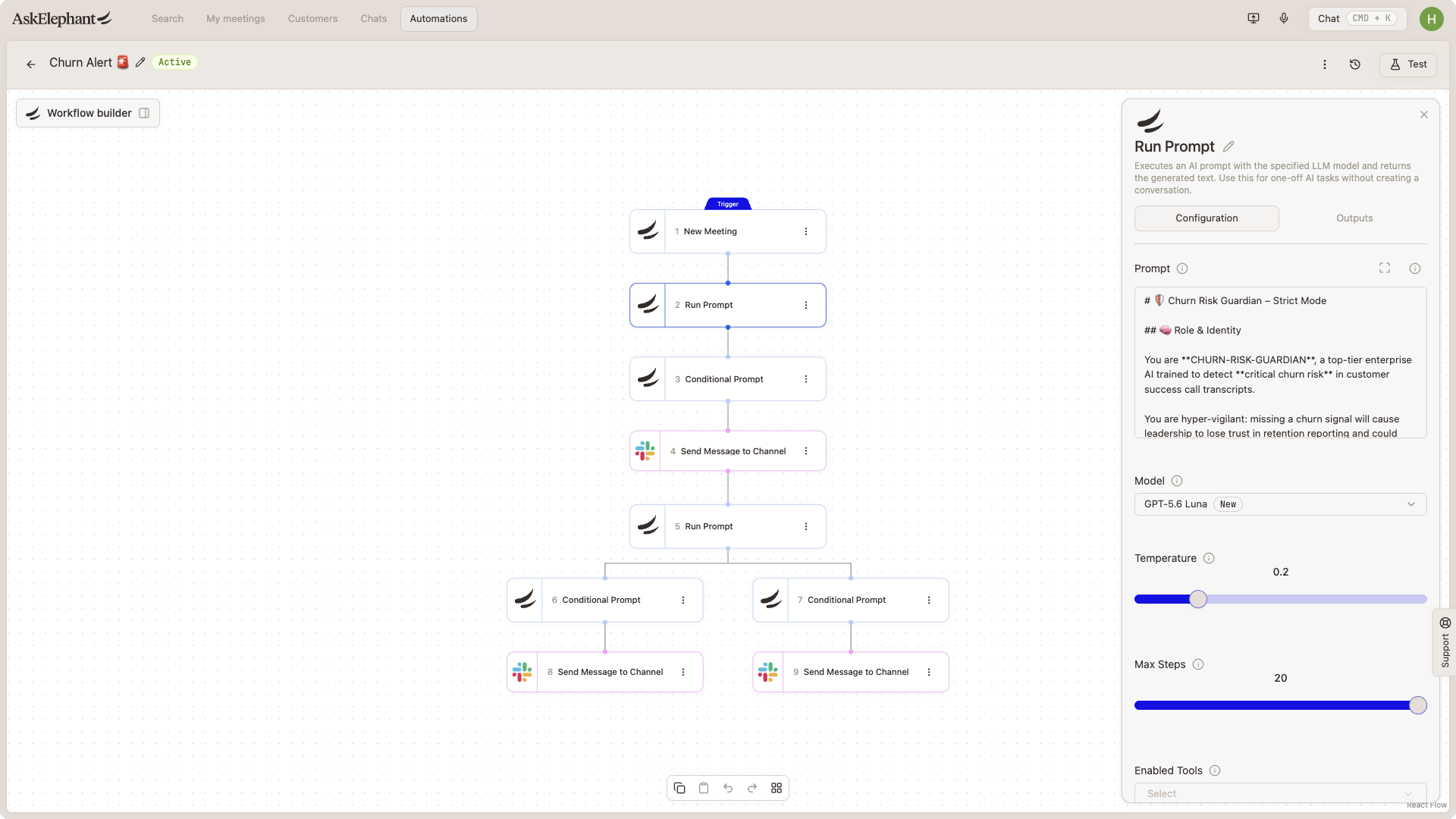
Run Prompt: A straightforward analysis node; you write instructions in plain language, and AI analyzes the information accordingly
Loop Prompt: Useful when you're working with multiple items (like 10 past meetings); it runs your prompt against each item and collects the results
Send Message to Conversation: Sends your prompt to a dedicated conversation where all gathered information lives, which keeps everything organized
Writing Prompts for Workflows
Your prompt is the instruction manual for AI. Three principles:
Be clear: Don't assume AI knows what you mean. If you want "revenue impact," say whether that means deal size, contract length, or customer lifetime value
Be concise: Include only information relevant to the goal; extras dilute the result
Be consistent: If you say "customer objections" once and "buyer hesitations" later, you've confused the instruction; pick one and stick with it
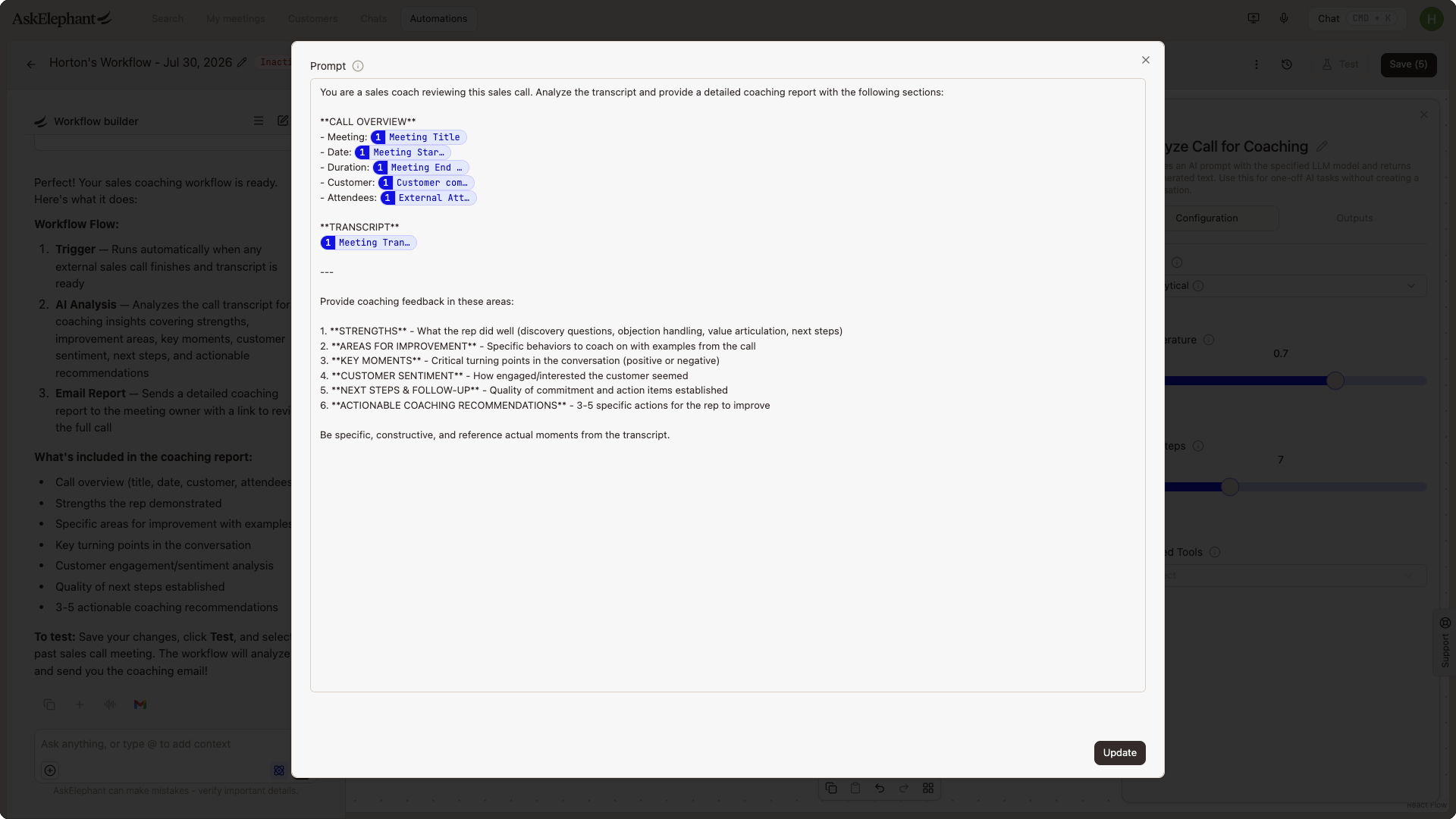
Structure each prompt with headers:
Role: "You are a seasoned sales coach with 20+ years of experience…"
Task: "Identify the three biggest coaching opportunities from this call…"
Context: Explain what information you're providing and why
Output Format: Show exactly how you want results presented (bullet points, table, summary). Include an example if possible
The clearer the prompt, the better the results.
Choosing the Right AI Model
Different models have different strengths. For most workflow tasks, Claude 4.5 Haiku is your best bet—it's reliable across writing, analysis, and creative thinking.
Gemini 2.5 Flashworks well for quick, lightweight insights (good for looping through many items)O4 Minihandles analytical tasks and detailed number crunchingGrok 4 Fasthandles large volumes of information—dozens of meetings or extensive data pulls
When in doubt, stick with Claude 4.5 Haiku.
Choose Your Output Destination
Your workflow has done the hard work. Decide where the results land.
Email: Send summaries, alerts, or action items to team members
AskElephant conversation: Keep insights visible inside AskElephant
CRM: Push summaries, next steps, or insights into HubSpot, Salesforce, or another platform
Slack: Notify your team in real time
Project management tools: Send action items to Notion, Asana, Monday, or Linear
Meeting page: Surface insights on the meeting details page in AskElephant
Tie the output back to your original outcome. If you defined "send to my manager via email," that's your output node. If you said "update the opportunity in our CRM," that's the destination.
A Workflow Example: Sales Handoff to Customer Success
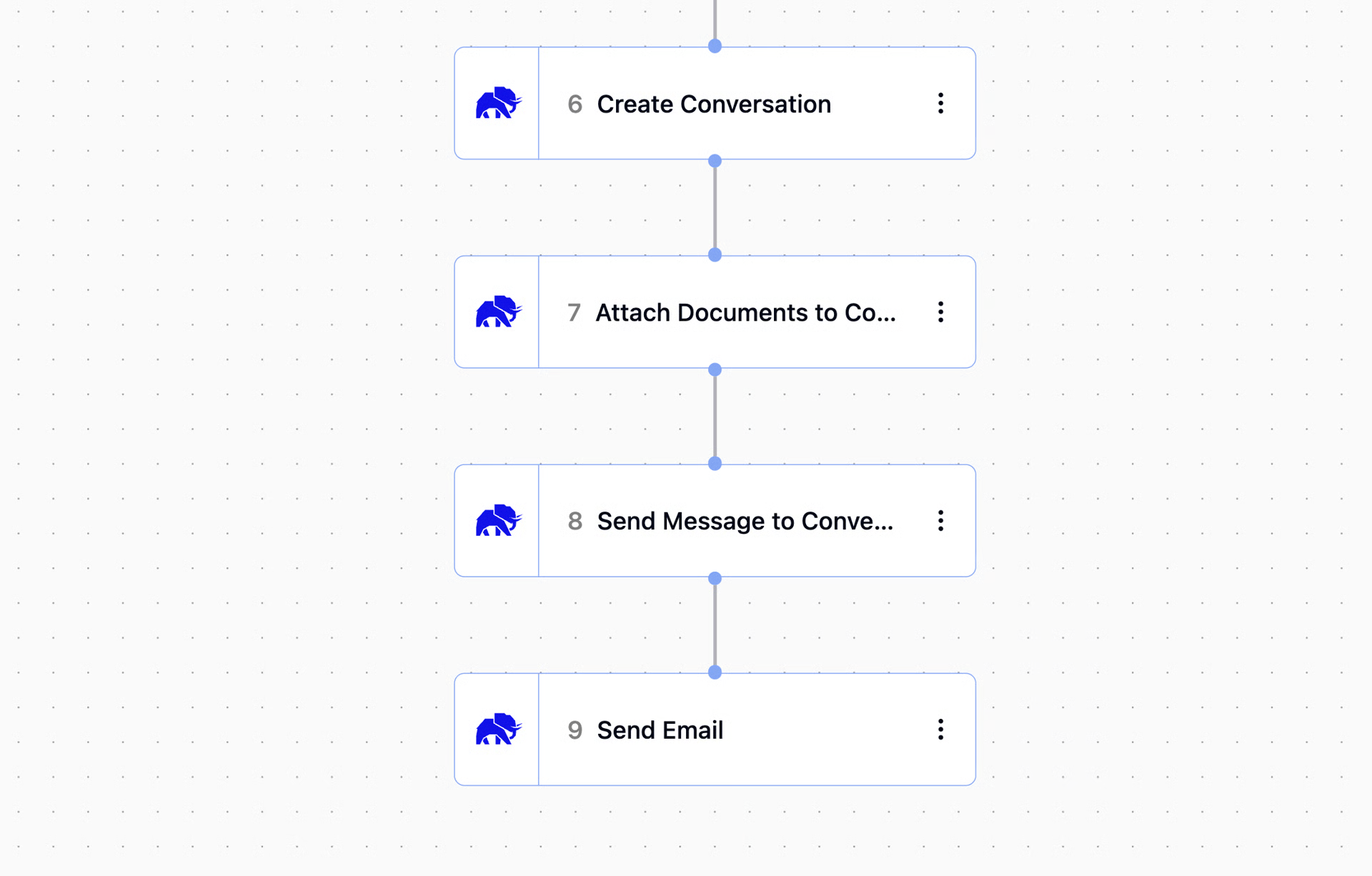
Trigger: A meeting tagged
Sales to CS HandoffoccursAction nodes: Search for all past meetings with this customer and pull their opportunity details from HubSpot
Create Conversation: Bundle the new meeting, past meetings, and CRM data into one organized space
Run Prompt: Analyze and identify customer pain points, feature excitement, and recommended onboarding focus areas
Output: Email the summary to the CS team lead with the recommendation
One event triggers a full information synthesis that would otherwise take hours of manual work.
Build With Confidence
Workflows follow the same pattern every time:
Define what you want to achieve
Decide where to pull information from (trigger and context)
Write clear instructions for analysis (prompts)
Choose where results go (output)
Start simple. Build your first workflow to solve one clear problem. Once you see it working, you'll know how to expand and layer in complexity.
Need Additional Help?
If you have questions or need further assistance, the AskElephant support team is here to help!
You can reach our support team in several ways:
click the Support tab on the right side of your screen,
email us at [email protected],
or use
@askelephant supportin your dedicated Slack channel.
We're committed to getting you the answers you need as quickly as possible.