
Requesting Workflow Help
Support can help you build new workflows from scratch, adjust existing ones, or troubleshoot workflows that aren't behaving. This article covers how to ask, what to send, and what to try first.
Before You Contact Support
Two things to check before filing a request — one or both may save you a ticket:
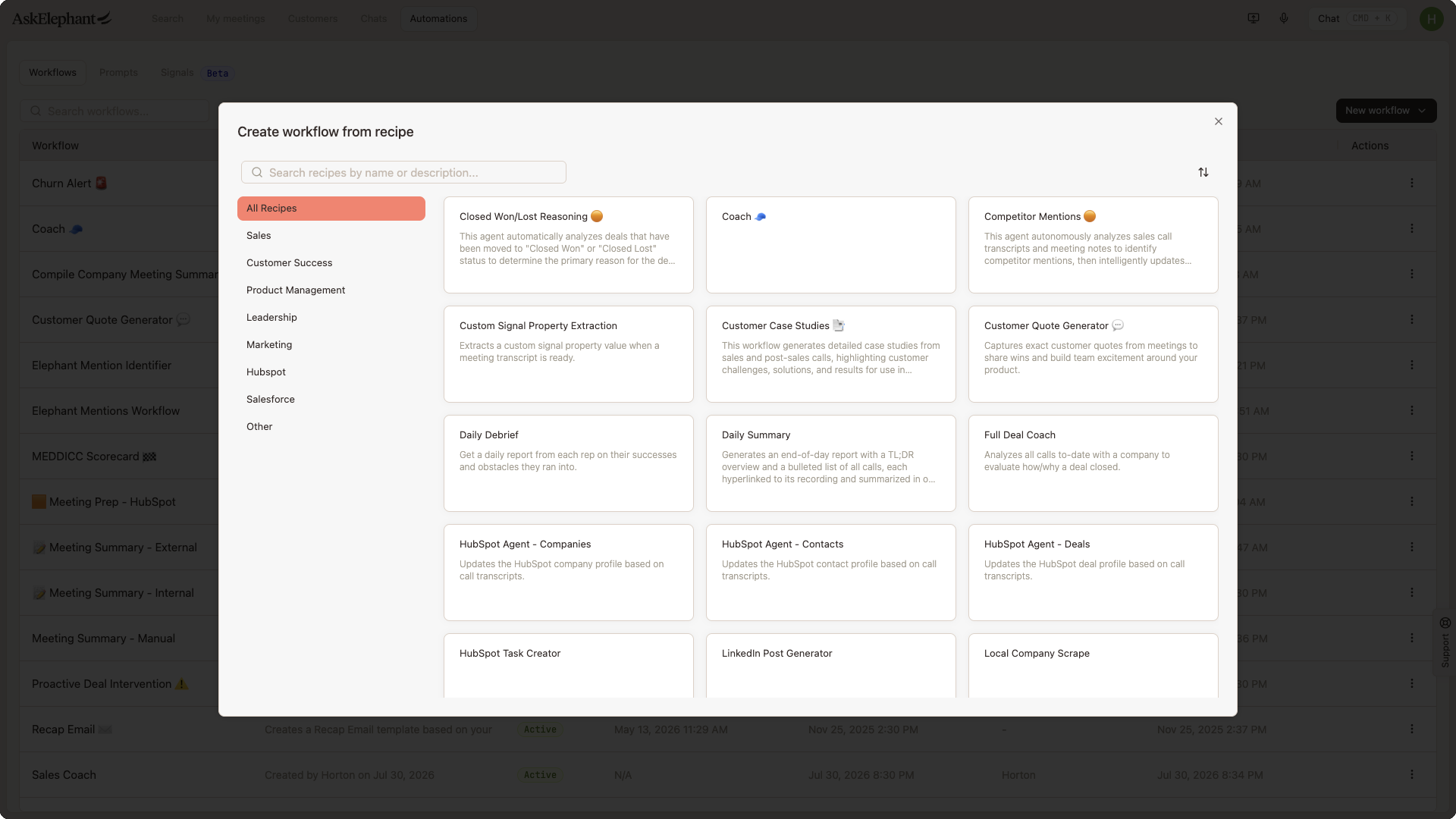
Automations > New Workflow > From Recipe— browse pre-built templates. Common ones include meeting summaries, churn alerts, follow-up email drafters, customer quote generators, and sales coaching scorecards.The AI Workflow Assistant in the workflow builder — describe what you want in plain language and it will generate a starting workflow you can refine.
If a recipe or the assistant gets you 80% of the way, support can help polish the last 20%.
How to Reach Support
Any of these work:
Click the Support tab on the right side of your AskElephant screen.
Email
[email protected].Use
@askelephant supportin your dedicated Slack channel.
Support is staffed 9:00 AM – 5:00 PM Mountain Time, Monday through Friday. See AskElephant Support Hours and Response Times for response-time expectations.
What to Include for a New Workflow
The more specific you are, the faster we can build. Send:
Goal — what the workflow should accomplish in one sentence.
Trigger — when it should run (after every meeting, only external meetings, deals closing, daily at a specific time, manual trigger, etc.).
Data sources — what it should analyze (meeting transcripts, specific HubSpot fields, Salesforce records, uploaded docs).
Output — where results go (Slack channel, email, CRM field update, Notion page, webhook).
Conditions — any filtering rules (e.g., "only when a follow-up is scheduled" or "only for meetings tagged
onboarding").Examples — one or two real calls or data points that show what good output looks like. This helps more than anything else.
What to Include for an Existing Workflow
If an existing workflow is broken or needs adjustment, send:
A link to the workflow, or its exact name.
What it's doing wrong — specific symptom, not a general "it's not working."
A link to a specific call or run where the issue happened.
What you want it to do instead.
What Happens Next
A Solutions Engineer will acknowledge your request and may ask clarifying questions.
For complex workflows, we may schedule a short call to align on requirements.
We build and test the workflow against real calls from your workspace.
Once you approve, we activate it.
What Support Can Help With
Building workflows from scratch.
Adjusting existing workflows.
Troubleshooting errors.
Connecting workflows to external systems (HubSpot, Salesforce, Slack, Notion, webhooks).
Setting up triggers, conditions, and scope.
Related
Configuring Workflow Triggers for Specific Meetings and Attendees— trigger and conditional setup you can often do yourself.Testing Workflows Without Activating Them— preview output before you ship.AskElephant Support Hours and Response Times— when support is staffed.
Need More Help?
Reach the AskElephant support team by clicking the Support tab on the right side of your screen, emailing [email protected], or using @askelephant support in your dedicated Slack channel.