
Analyzing Multiple Calls
Introduction
You can ask questions across many recorded calls at once — to find common pain points, track feature requests, or search for specific topics. There are two ways to do it, and they're suited to different jobs.
Global Chat: Search Your Whole Library
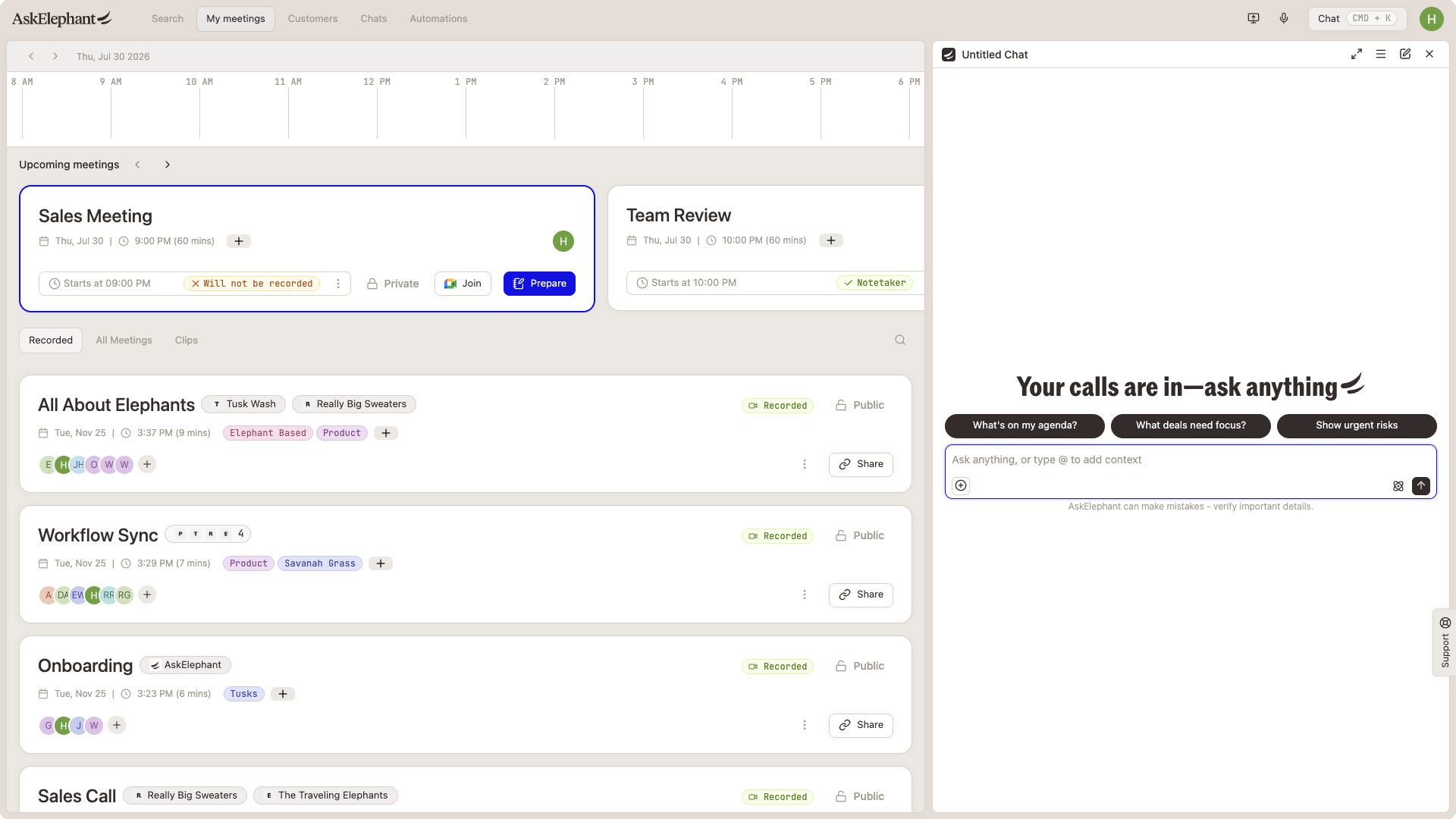
Global Chat is the fastest way to ask questions across every call you have access to — no manual selection required.
Open Global Chat with
Cmd+Kon Mac orCtrl+Kon Windows.Type your question in plain English, e.g. "Show me meetings where pricing came up."
For more precise results, use
@to tag specific entities:Companies:
@Acme CorpPeople:
@John SmithMeetings:
@{meeting name}
Results return in batches. Refine your keywords if you need to narrow down.
What to know:
Global Chat respects meeting permissions. Private meetings only show up for their attendees.
It uses keyword matching and returns a limited set of results per query, so you may need to run a few searches to cover a topic fully.
Search Page: Pick a Subset First
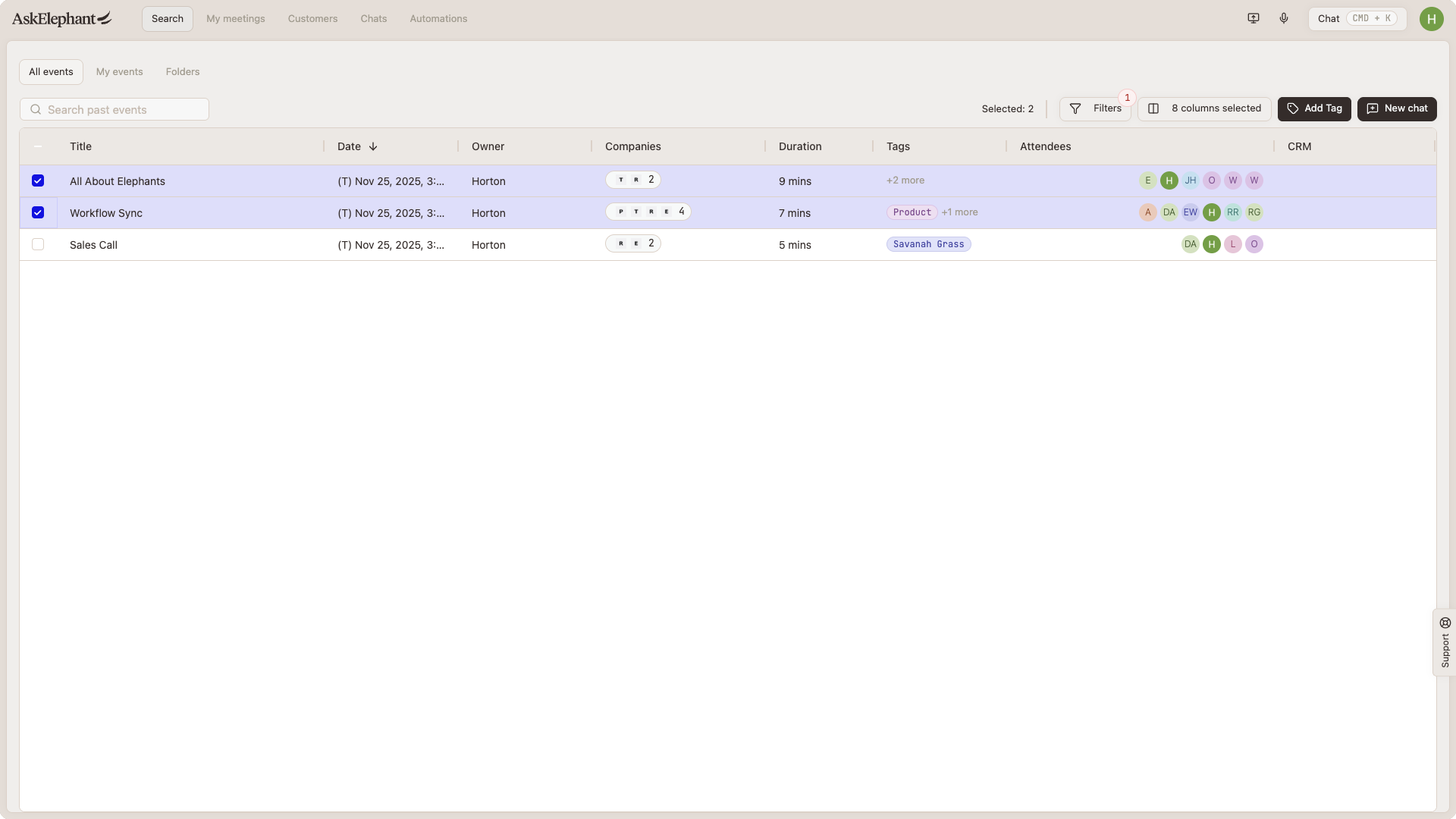
When you want to analyze a specific set of calls — one client's meetings, last quarter's pilot calls, calls from a specific team — start from the Search page.
Go to the Search page.
Use filters to narrow down (call owner, date range, duration, team, company, tags).
Select the calls you want with the checkboxes.
Click
New chatin the top right.
You'll land in Chat with those calls loaded as context. Ask the AI to compare them, summarize, or pull patterns.
Best Practices for Multi-Call Analysis
Keep selections focused. You can select up to 20 calls at a time, and for best performance aim for roughly 75 hours of total call time or less.
Use filters aggressively. A tight selection gets better answers than a broad one.
Switch models for big analyses. For very large selections, switch to
Grok 4 - Fastor another high-context model. You'll get more of the transcripts into the window.Start small with long date ranges. A 6-month range can hit context limits. Start with a month or two, then widen if the answers hold up.
Example Questions
Once you have calls selected or Global Chat open, try:
"What are the most common pain points customers raised in these meetings?"
"What are the top 5 feature requests we don't currently cover?"
"Find all mentions of
{specific keyword}across these recordings.""Summarize objections we got when pricing came up."
Which Approach When
Use Global Chat when you want to search your full library or you don't know which calls are relevant yet.
Use the Search page when you want to focus on a specific set — say, everything from one company or one team in a given window.
The regular in-meeting or company Chat doesn't search across your full library by default. Use Global Chat or the Search-page flow above for cross-call analysis.
Related
Search— filtering and tagging meetings on the Search page.Chats & Conversations— how Chat works, tools and agents, attaching meetings.Companies— asking questions scoped to a single company's calls.
Need More Help?
Reach the AskElephant support team by clicking the Support tab on the right side of your screen, emailing [email protected], or using @askelephant support in your dedicated Slack channel.