
Customize Your Notetaker Logo
Overview
Your notetaker is the participant that appears in meetings to record and transcribe them. As a workspace admin, you control what it shows: your own logo, the AskElephant default, or nothing at all. A custom logo keeps your brand visible in every meeting, so participants feel at home while knowing the meeting is being recorded.
ℹ️ Add-on feature. The custom Notetaker logo is an add-on and isn't enabled for every workspace by default. To add it to your plan, contact your customer success manager (CSM).
Open the Notetaker Logo Setting
To find the setting:
Click your profile icon in the top right of the navbar.
Select
Workspace Settings.Go to
Notetaker.Find the
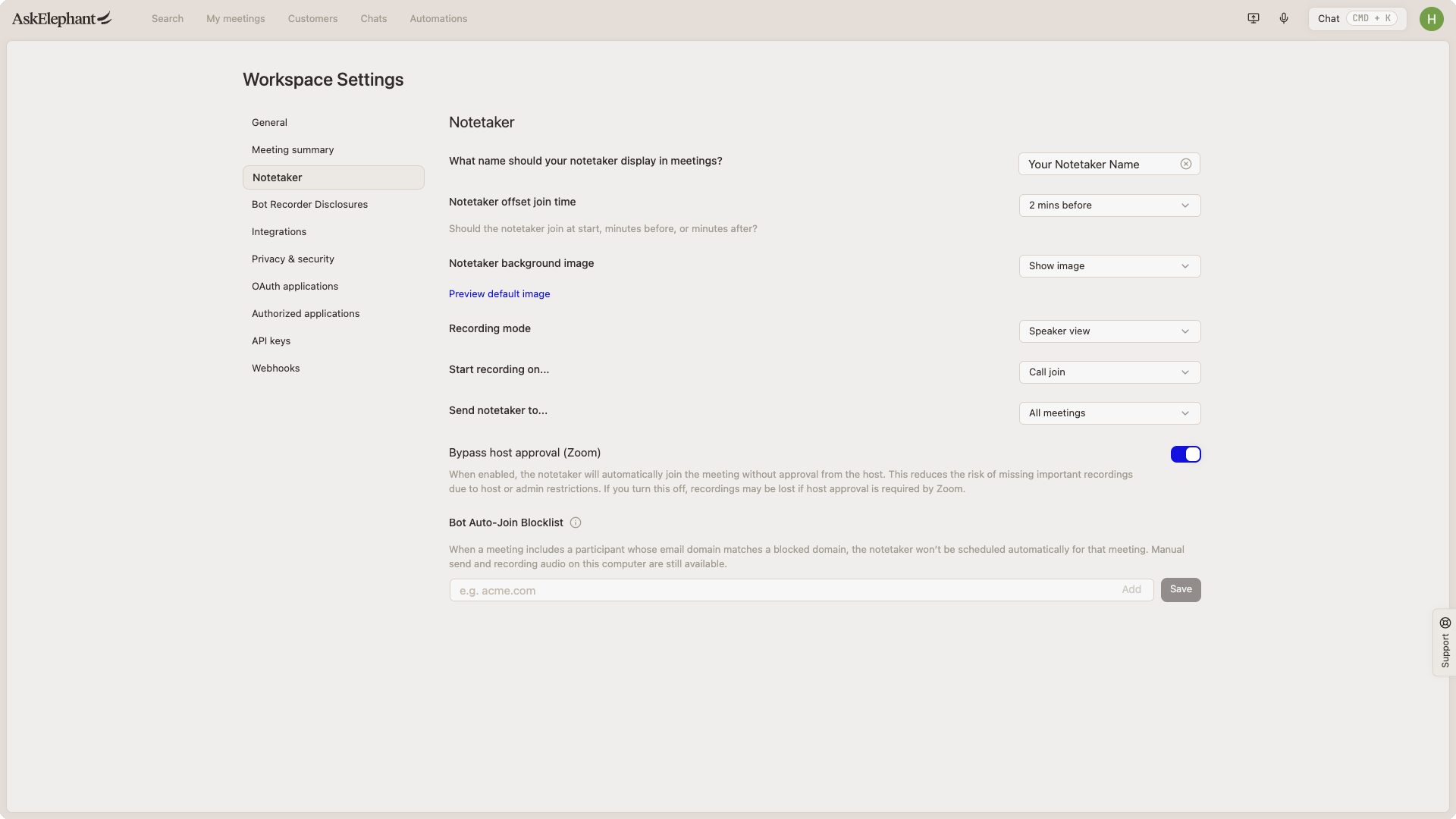
Notetaker background imagesection.
Choose How the Notetaker Appears
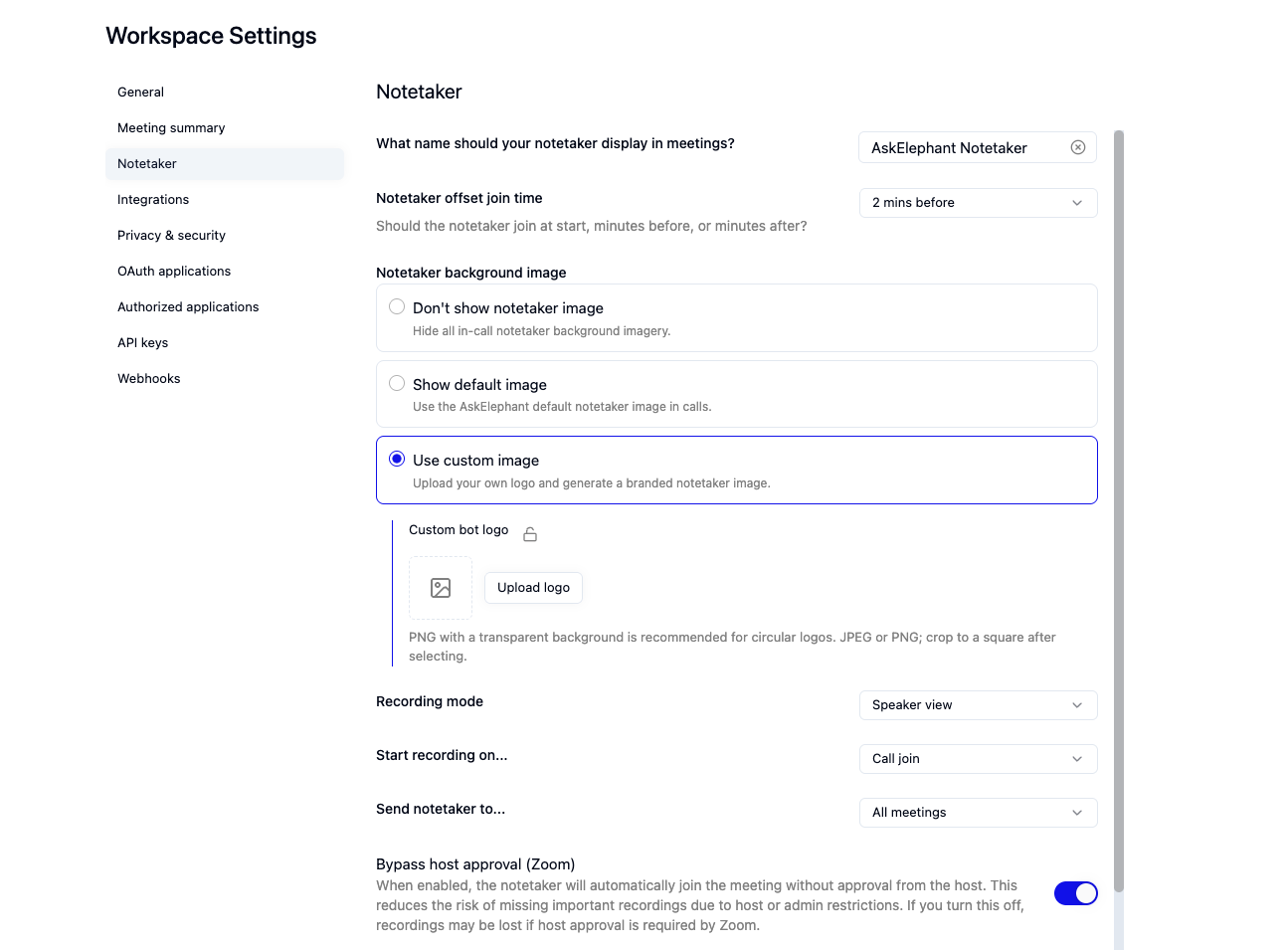
Under Notetaker background image, pick one of three options:
Don't show notetaker image. The notetaker joins with no image in the meeting tile. Choose this to keep it as unobtrusive as possible.
Show default image. The standard AskElephant icon appears in the tile. Choose this if you have no preference.
Use custom image. Upload your own logo. A preview shows how it will render before you save.
When you select Use custom image, your notetaker name appears with Replace Logo and Remove Logo controls. Use Replace Logo to upload a new file, or Remove Logo to clear the current one.
For the best result, upload a PNG with a transparent background, sized square at a minimum of 1200 pixels. If you use a JPEG, crop it to a square first so it isn't cut off in the tile.
Lock the Logo for Your Workspace
The Custom Bot Logo Lock controls whether individual users can override the workspace logo.
Locked. Users can't override the logo, so every meeting uses the workspace logo.
Unlocked. Users can set their own logo for their own meetings. This is the recommended setting.
Need Additional Help?
If you have questions or need further assistance, the AskElephant support team is here to help!
You can reach our support team in several ways:
click the Support tab on the right side of your screen,
email us at [email protected],
or use
@askelephant supportin your dedicated Slack channel.
We're committed to getting you the answers you need as quickly as possible.